





Using Drive for desktop
Downloading Drive for desktop
Please refer to 'Install Drive for desktop' at the following URL.
(The same page can be accessed by clicking the gear icon in Google Drive and selecting 'Sync files between the cloud and your computer.')
https://support.google.com/a/users/answer/13022292
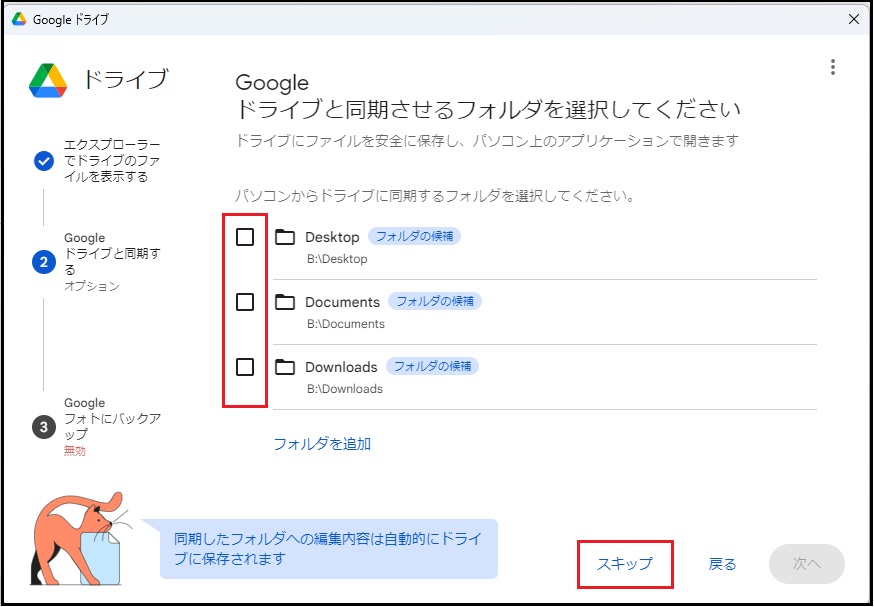
Important Notes on Sync Settings for "Drive for desktop"
If your Google Drive storage is low or if there are storage limits, click [Skip] to skip the folder selection process. (If you choose to skip, follow the steps below:)
When syncing data from your computer, please check your available Google Drive storage space before selecting folders to sync.
Reference Information(How to open content in "Shared with me")
Content in "Shared with me" cannot be opened directly from the Drive for desktop.
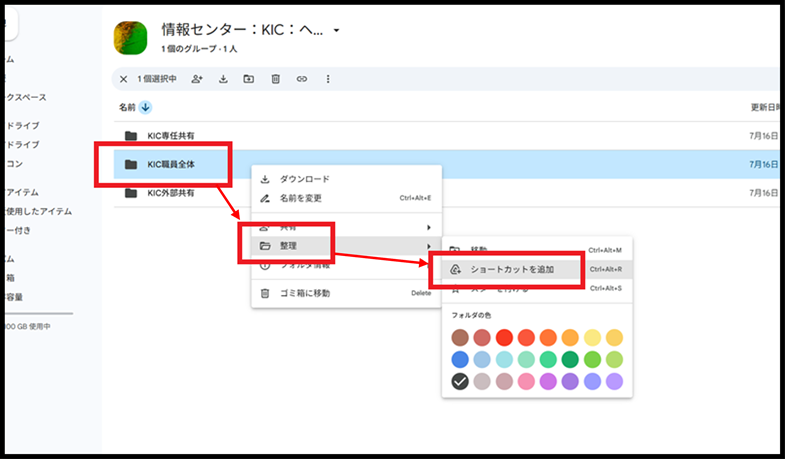
Therefore, you can open it from the Google Drive for Desktop by creating a shortcut in advance and placing it in "My Drive."
Right-click on the content, then click [Organize] -> [Add shortcut].
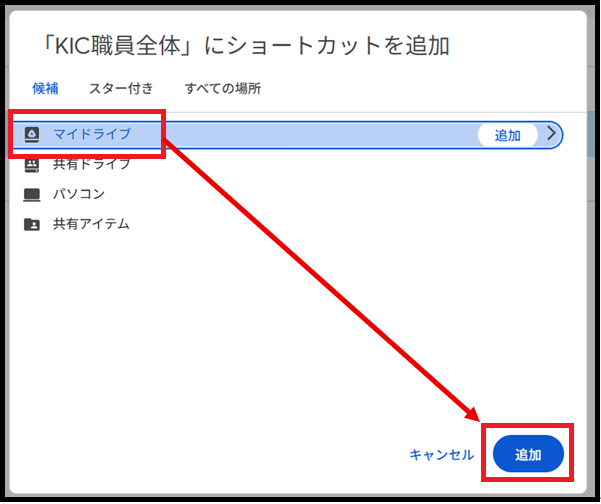
Select My Drive and click [Add].
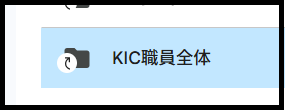
Added shortcut files can be identified by the presence or absence of an arrow mark on their icon.
Return to Google Drive Users Manual for explanations about other features.
Last-Modified: March 31, 2026
The content ends at this position.